Markbeam: an online Markdown editor with live preview
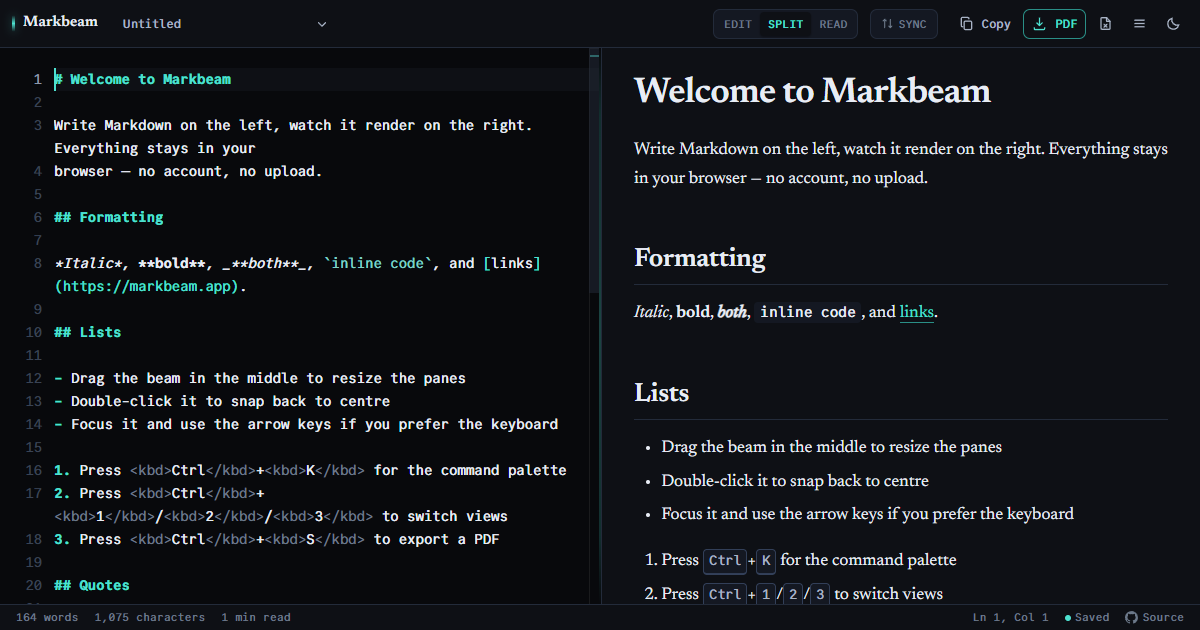
Write Markdown on the left and watch it render on the right. No account, no waiting — your documents are stored in your own browser and stay there unless you connect them to a GitHub or GitLab repository yourself.
What it supports
- GitHub-Flavored Markdown — tables, task lists, footnotes, strikethrough and bare autolinks, with a CommonMark mode when you need the stricter parser.
- Mermaid diagrams — flowcharts, sequence diagrams and the rest, rendered from fenced code blocks as you type.
- LaTeX math — inline and display formulas via KaTeX.
- GitHub-style callouts — Note, Tip, Important, Warning and Caution blockquotes.
==highlight==and:emoji:shortcodes.- Local images — paste or drop PNG, JPEG and WebP files. Large images are resized in your browser and embedded directly in the Markdown; they are never uploaded.
Getting the document out again
- PDF — paginated so headings, tables, code blocks and diagrams are not sliced across a page break.
- Print — the document, not the application: no toolbar, no editor pane, and always on a light background whatever theme you use.
- HTML — a standalone file with its styles inlined, or copied to the clipboard with table borders intact so it survives a paste into an email.
- Word (
.doc) and the original Markdown source. - Shareable links — the document is compressed into the URL fragment, so it never touches a server.
- GitHub — save the open document to a repository you name, or open one from it. Both are manual, and nothing happens until you connect.
Your documents stay yours
Everything is held in your browser's local storage. There is no account, no analytics tag, no third-party font CDN and no server that sees what you write. Pasted and dropped images are processed and stored there too. Several documents can be kept side by side, and autosave history keeps earlier versions so an accidental deletion is recoverable.
The one exception is a repository you connect yourself. Saving and opening are manual: each one happens because you just asked for it. If you also switch on automatic sync, a document you have already saved to a repository is sent again when you stop typing — only that document, only after a change, and never one you have not saved there yourself. It is off until you turn it on, and turning it off stops it immediately.
Markbeam never merges. If the file changed in the repository since you last wrote it, your version and theirs are both kept as separate documents and you choose — nothing is overwritten on either side.
The token you supply is kept only until the tab closes, unless you tick remember on this device. It is sent as an authorisation header and never in a web address, so it stays out of your browser history and out of anyone's logs.
Questions people actually ask
Is it free?
Yes, and there is nothing to sign up for.
Does it work offline?
Yes, after the first visit. A service worker keeps what you have already loaded, so once the page has opened once with a connection it will open again without one, with your documents intact — and it can be installed as an app.
What it does not do is fetch things you have never used. Syntax highlighting for a language you have not opened before, or PDF export if you have never exported, both need one online run first. That is a property of caching on use rather than downloading several megabytes on the off chance.
Can I use it on a phone?
Yes. Below roughly 900 pixels the two panes become tabs, so you switch between writing and reading rather than splitting a narrow screen.
Start writing →